StrmrX blog
73% of Chats Miss Words on Stream Before Fall Season Finales
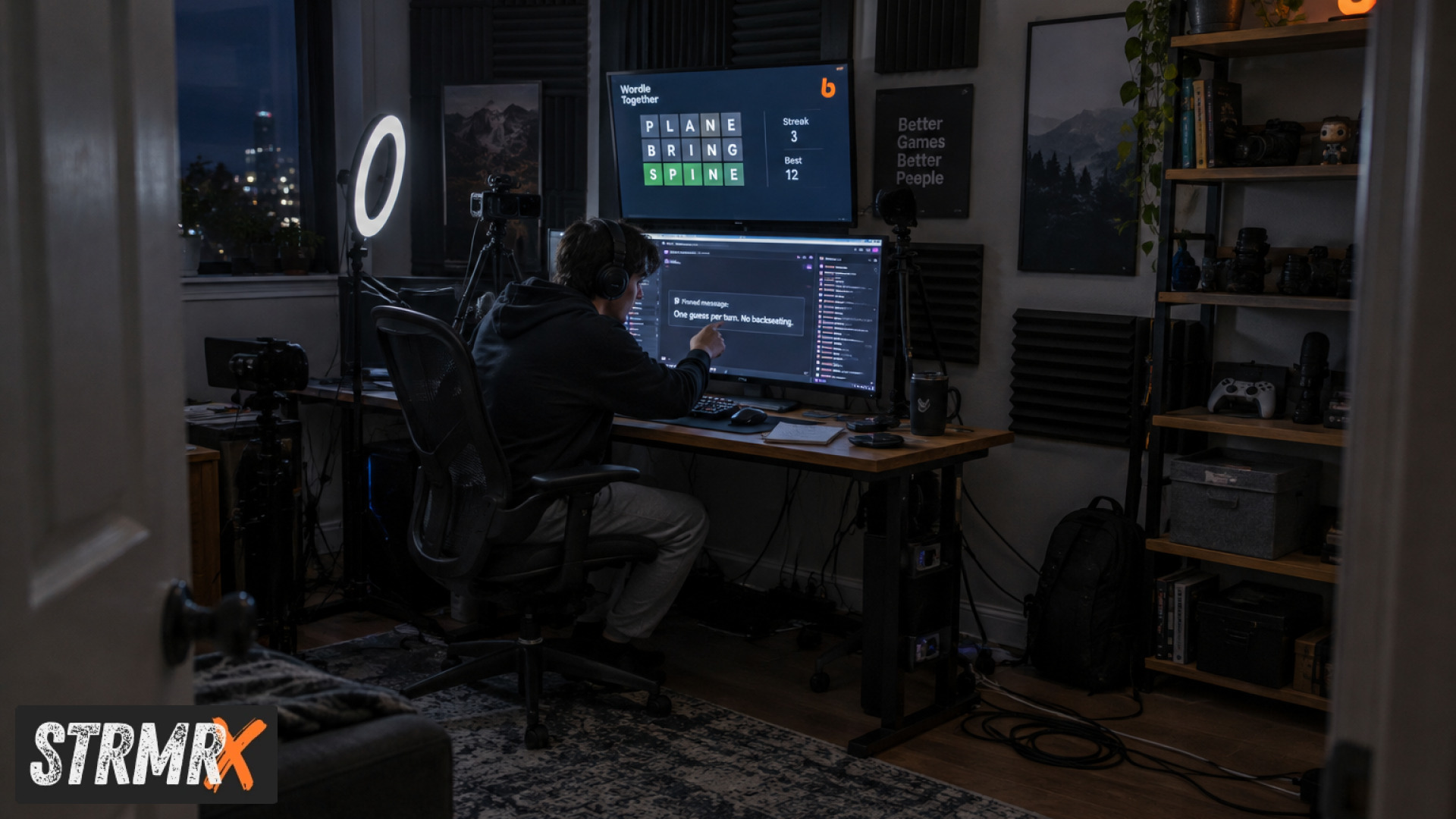
"Words on stream" usually means a chat-wide word-guessing game that runs as a browser overlay in OBS: viewers type guesses in chat, a word appears on screen, and whoever nails it first gets the credit. Heading into fall season finales, a lot of that gameplay gets missed entirely, not because chat doesn't want to play, but because the setup around it is clunky, laggy, or confusing right when viewer numbers spike. If you're trying to lock in a tight, repeatable chat game before your finale airs, the fix is less about the word game itself and more about the plumbing underneath it.
Why Do So Many Chats Miss Words on Stream Before Finale Night?
Most missed guesses happen because the overlay, the rules, or the timing aren't clear to a chat that's bigger and faster than usual. Finale episodes pull in raid traffic, returning lurkers, and first-time viewers all at once, and a word game that works fine for a 20-viewer Tuesday stream can fall apart under that load.
Three recurring culprits show up again and again on stream setups we see in the StrmrX community:
- No visible rules on screen: new viewers don't know they can type a guess, so they just watch.
- Overlay lag: a browser source that's slow to refresh means the word changes before half of chat even registers it.
- Single-player confusion: streamers testing a words on stream single player mode before going live sometimes leave it in solo mode by accident, so chat guesses go nowhere.
Fixing all three usually takes less than ten minutes before your finale goes live, but it has to happen before the stream starts, not mid-episode when chat is already piling in.
What Is the Words on Stream App and How Does It Work on Twitch?
The Words on Stream app is a browser-based word-guessing overlay: you drop it into OBS or Streamlabs Desktop as a browser source, a word or phrase appears on screen, and Twitch chat types guesses until someone lands it. It's a solid, simple concept, and it's part of why "words on stream twitch" and "words on stream download" are such common searches every fall as streamers prep finale content.
Where streamers tend to hit friction is scaling it up for a bigger night. A finale audience behaves differently than a regular Tuesday stream: more raids, more first-time chatters, more simultaneous guesses. If your chat game can't keep pace with that traffic without extra setup, it quietly underperforms right when it matters most.
What's a Good Words on Stream Alternative for Finale Season?
PuzzleX, one of the seven free apps in the StrmrX StreamKit, is built specifically to answer this: it's a real-time puzzle that your whole chat solves together, live on stream or at a private table, and it runs entirely in the browser as an OBS browser source with nothing to install. For streamers researching words on stream alternatives before a finale, that's the practical difference: one shared puzzle state everyone in chat watches update in real time, instead of a word that resets and leaves half of chat unsure what just happened.
PuzzleX sits inside the same free StrmrX account as the other six public apps, BingoX, CollectX, StreamPals, BotBuddyX, BuzzBarX, and RaidX, which matters for finale planning because it means you're not juggling six different logins and six different credit systems the week your biggest episode of the season drops. One account, one shared credit wallet, every app signed in together.
Why That Matters for a Finale-Night Chat
A finale is the worst night to be troubleshooting a second dashboard login. StrmrX is built by a two-person independent studio in St. John's, Newfoundland, specifically to keep each app small, fast, and low-friction rather than bundling everything into one heavy all-in-one control panel the way some bigger platforms do. That means less to configure the night your viewer count triples.
How to Set Up Words on Stream (or a Replacement) Before Your Finale
Set up your chat word or puzzle game at least one full stream before your actual finale airs, so you catch overlay or rule problems while the stakes are still low. Running a dry run on a regular Tuesday or Wednesday stream, a few days ahead of the fall finale you're actually building hype for, is the single easiest way to avoid a dead overlay on the night that counts.
- Add the overlay as a browser source in OBS or Streamlabs Desktop: no plugin install needed for StrmrX apps, since every app in the StreamKit runs in-browser.
- Post the rules in chat and pin them: a one-line "type your guess in chat" pinned message catches viewers who join mid-stream, which matters a lot once raids start landing on finale night.
- Test with a friend or mod before you go live: confirm the word or puzzle actually updates on screen in real time and that guesses register.
- Decide your reward: whether it's a shoutout, a sound alert, or stacking points toward something bigger, chat plays harder when there's a visible payoff.
- Pair it with a hype tool: BuzzBarX rotates your socials, commands, and house rules on screen and swells for raids, follows, and hype trains, which keeps new viewers oriented during the exact traffic spike a finale brings.
Words on Stream Rules vs a Chat-Wide Puzzle: What Should You Run on Finale Night?
Keep your rules to one sentence on screen, because finale chat moves fast and nobody reads a wall of text mid-raid. Whether you're running a word game or something like PuzzleX, the rule that gets followed is the one that's visible without chat having to scroll up or ask.
If your goal for the finale is pure guessing-game energy, a classic word reveal still works. If your goal is sustained chat-wide participation across a longer finale, a tool where the whole chat is solving one shared puzzle together, visibly progressing on screen, tends to hold attention longer because viewers can see collective progress rather than a single winner resetting the board every round. BingoX, which lets viewers !join from chat while you call the balls, works well as a second game to rotate in between puzzle rounds so finale night doesn't feel like one repeating loop for three hours.
Finale-Ready Checklist: What to Confirm Before This Season's Last Episode
The short version: test your overlay, pin your rules, confirm single-player mode is off, and have a backup game ready before your fall finale airs. Here's the fuller checklist worth running through in the days leading up to it:
- Overlay added as a browser source and tested on the actual scene you'll use live.
- Rules pinned in chat in one sentence, not buried in a panel.
- Single player mode confirmed off if you tested solo beforehand.
- A second game or overlay queued (BingoX, CollectX, or StreamPals) in case the main one needs a breather mid-stream.
- BuzzBarX or a similar on-screen card set up to greet raids and new follows automatically, since finale night is when those spike hardest.
- Your StrmrX account signed in once, with every app you're using already loaded under the same free account and shared credit wallet.
All seven StrmrX apps, including PuzzleX, are free on the A tier right now, so none of this checklist requires a paid plan to run on finale night. Streamers who want premium resources, priority features, or early access to new drops can move to S Tier at $9 a month, and X Tier at $19 a month unlocks the full StreamKit with every app plus VIP support, but a finale-ready chat game doesn't need either to work well.
Conclusion: Don't Let Your Finale Chat Miss the Words
Chats miss words on stream most often because the setup wasn't tested before the biggest night of the season, not because the game itself is broken. Fix the overlay, pin the rules, confirm your mode, and pick a game built to handle a finale-sized crowd, and that gap closes fast.
If you've got a fall finale on the calendar this week, test PuzzleX, BingoX, or any of the seven free StrmrX apps on your next regular stream first, not live during the finale itself. Sign up free at strmrx.com, sign in once with your StrmrX account, and get your overlay, rules, and backup game locked in before your chat shows up expecting to play. Questions before finale night? Reach the two-person team behind StrmrX directly at vibe@strmrx.com.
Frequently Asked Questions
How do I check if my words on stream single player mode is accidentally still on?
Open the overlay settings you used for testing and look for a solo or single-player toggle, since that's the setting streamers forget to flip back before going live. The easiest check is to have a friend or mod type a guess in chat while you watch the overlay; if nothing happens on screen, it's still in solo mode. Do this check during your dry run, not after your finale raid traffic has already started landing.
What makes PuzzleX different from a regular words on stream overlay during a finale?
A classic word reveal resets after each round, so late-joining viewers often miss what's happening and just watch. PuzzleX keeps one shared puzzle state visible on screen that the whole chat solves together in real time, so collective progress is visible even to someone who just got raided in. That makes it hold attention better across a longer finale than a repeating single-winner format.
Do I need a paid StrmrX plan to run PuzzleX or BingoX on finale night?
No, all seven StrmrX apps including PuzzleX and BingoX are free on the A tier, so a finale-ready chat game doesn't require any paid plan. S Tier at $9 a month and X Tier at $19 a month add premium resources, priority features, and VIP support, but those are upgrades for streamers who want extras, not requirements for basic finale-night functionality.
Why should I test my chat game on a regular Tuesday stream instead of right before the finale?
Testing on a lower-stakes night catches overlay lag, unclear rules, and leftover solo-mode settings while your viewer count is small and forgiving. If those problems surface mid-finale instead, you're troubleshooting in front of raid traffic and first-time viewers who won't wait around for you to fix it. A dry run a few days ahead gives you time to pin corrected rules and confirm everything updates properly before the stakes go up.
What should I do if my main chat game overlay stops working mid-finale?
Have a second game queued and ready to swap in, like BingoX, CollectX, or StreamPals, so a single overlay hiccup doesn't kill chat engagement for the rest of the stream. This is part of why the finale checklist recommends loading a backup under the same StrmrX account ahead of time, since everything shares one login and one credit wallet. Switching games becomes a quick browser-source swap instead of a scramble to find and sign into something new live.