StrmrX blog
Still Comparing Streamcord Before Winter Season Starts? Ask This First
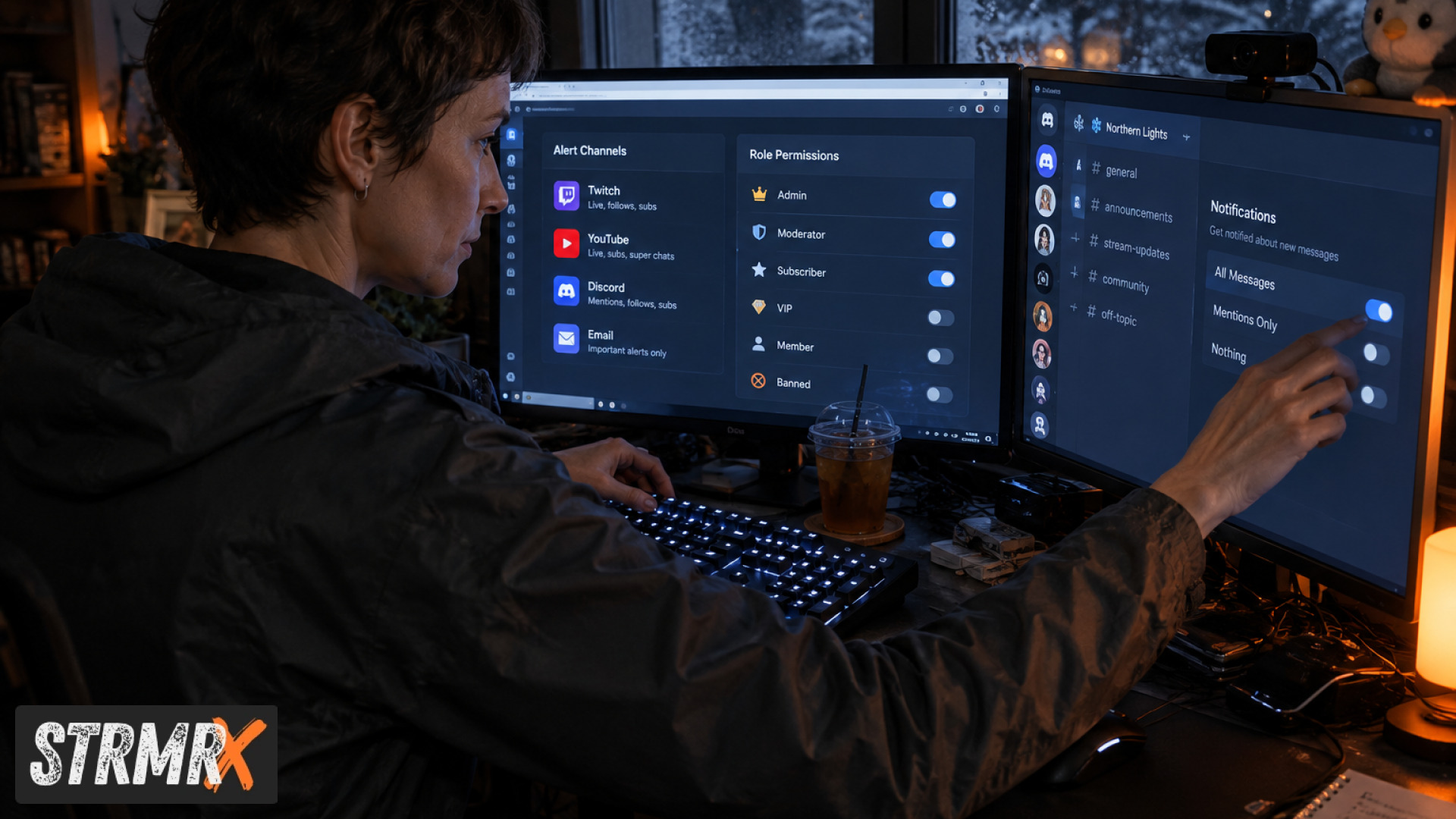
Streamcord is a Discord bot that posts Twitch and YouTube live alerts into a server, and the real question to ask before you commit to it for the winter streaming season is whether you need a notification bot at all or a full browser-based toolkit that also runs your overlays, chat games and alerts in OBS. If all you want is "go live" pings in Discord, Streamcord does that job. If you want overlays, chat games and viewer tools too, you need a different kind of answer.
What Does Streamcord Actually Do?
Streamcord is a Discord-side notification bot: it watches a Twitch or YouTube channel and posts an embed in your server when you go live. It runs through a web-based Streamcord Dashboard where you set up alert channels, roles and embed styling.
That's the whole job. The Streamcord bot doesn't touch your OBS overlay, run chat games, or manage on-stream graphics, because it was never built to. It lives in Discord, not in your stream.
Is Streamcord Down, or Is It Just Not Working for You?
Most "Streamcord not working" reports trace back to Discord permission changes or API rate limits, not a full outage. Before assuming Is Streamcord down, check your bot's role permissions and re-invite it if the alert channel has been renamed or recreated.
Third-party Discord bots also have to follow Discord Developer Policy rules on data handling and verification, so a policy update on Discord's side can quietly break an integration until the bot issues a patch.
How Does Streamcord Compare to StreamElements or MEE6?
Streamcord, StreamElements and MEE6 all do different core jobs: Streamcord handles Discord alerts, StreamElements leans into overlay and alert-box tooling, and MEE6 is mostly a moderation and leveling bot. None of the three is a lightweight, browser-only stream toolkit.
StrmrX takes a different shape entirely. It's a family of seven small browser apps, BingoX, CollectX, StreamPals, BotBuddyX, PuzzleX, BuzzBarX and RaidX, that drop into OBS as a browser source with nothing to install, all signed in through one free account and one shared credit wallet.
What Should You Ask Before Choosing a Tool for Winter Season?
Ask what the tool actually runs: Discord alerts, stream overlays, or chat interaction, because those are three separate jobs often sold as one. Before adding any third-party bot or SaaS tool to your setup, it's worth vetting it the way a small business would vet a vendor.
- Does it need install access to your PC, or does it run in the browser?
- What happens to your account if the service goes down mid-stream?
- Is pricing clear, or does it scale unpredictably as your community grows?
The NIST supply chain guidance and the SaaS buyer's evaluation guide both cover this kind of vendor-vetting checklist, and the same logic applies to a Twitch overlay stack as it does to business software.
Why Give StrmrX a Look Before Winter Streams Start?
StrmrX is worth a look because it's free to start, runs entirely in the browser, and was built by streamers who use it on their own channels. All seven apps are free on the A tier today, with S Tier at $9/month for premium resources and early access, and X Tier at $19/month unlocking the full StreamKit with VIP support.
It's a two-person independent studio, not a venture-backed platform chasing every feature, so each app stays small, fast and low-friction instead of one heavy dashboard.
The Short Answer
Streamcord is a solid Discord alert bot, but it isn't built to run your overlay, chat games or on-stream viewer tools, so the real question before winter season isn't "is Streamcord good" but "what job do I actually need filled." If that job includes chat bingo, a collection grid, a stream pet, an AI chat bot, co-op puzzles, a rotating social card or smart raid-finding, StrmrX's free A tier is built for exactly that. Start free at strmrx.com or reach the two-person team directly at vibe@strmrx.com.
Frequently Asked Questions
What should I check in the Streamcord Dashboard before assuming the bot is broken?
Start with your bot's role permissions and confirm the alert channel still exists under the same name, since renaming or recreating a channel is one of the most common causes of silent failures. Also double-check that nothing in your server's permission structure changed after a Discord update, as that's a frequent culprit before anyone needs to re-invite the bot entirely.
Can I run StrmrX apps alongside Streamcord instead of replacing it?
Yes. Streamcord handles Discord go-live pings while StrmrX's seven apps (BingoX, CollectX, StreamPals, BotBuddyX, PuzzleX, BuzzBarX and RaidX) run as OBS browser sources for overlays and chat interaction, so the two cover completely different jobs and don't conflict. Many streamers keep a notification bot in Discord and a separate toolkit for on-stream features.
How is StrmrX actually different from StreamElements if both handle overlays?
StreamElements bundles overlay and alert-box tooling into one larger dashboard, while StrmrX splits the same general territory into seven small, single-purpose browser apps signed in through one account and one shared credit wallet. That means you can turn on just a chat bingo app or a stream pet without loading a full all-in-one platform you only use part of.
What does StrmrX cost compared to free, and when would I need to upgrade?
All seven apps are free to use on the A tier, which covers the core features most streamers need right out of the gate. You'd move up to S Tier ($9/month) for premium resources and early access, or X Tier ($19/month) if you want the full StreamKit unlocked with VIP support.
What happens to my Discord alerts if Streamcord's service goes down mid-stream?
The post doesn't guarantee uptime for any third-party bot, and it specifically flags that a policy change on Discord's side can break an integration until the bot's developers patch it. That's exactly the kind of vendor risk the NIST supply chain guidance and SaaS buyer's checklist mentioned in the post are meant to help you think through before you lean on any single tool for live alerts.