StrmrX blog
Why Adding an Interactive Twitch Overlay Before Season Finale Week Backfires
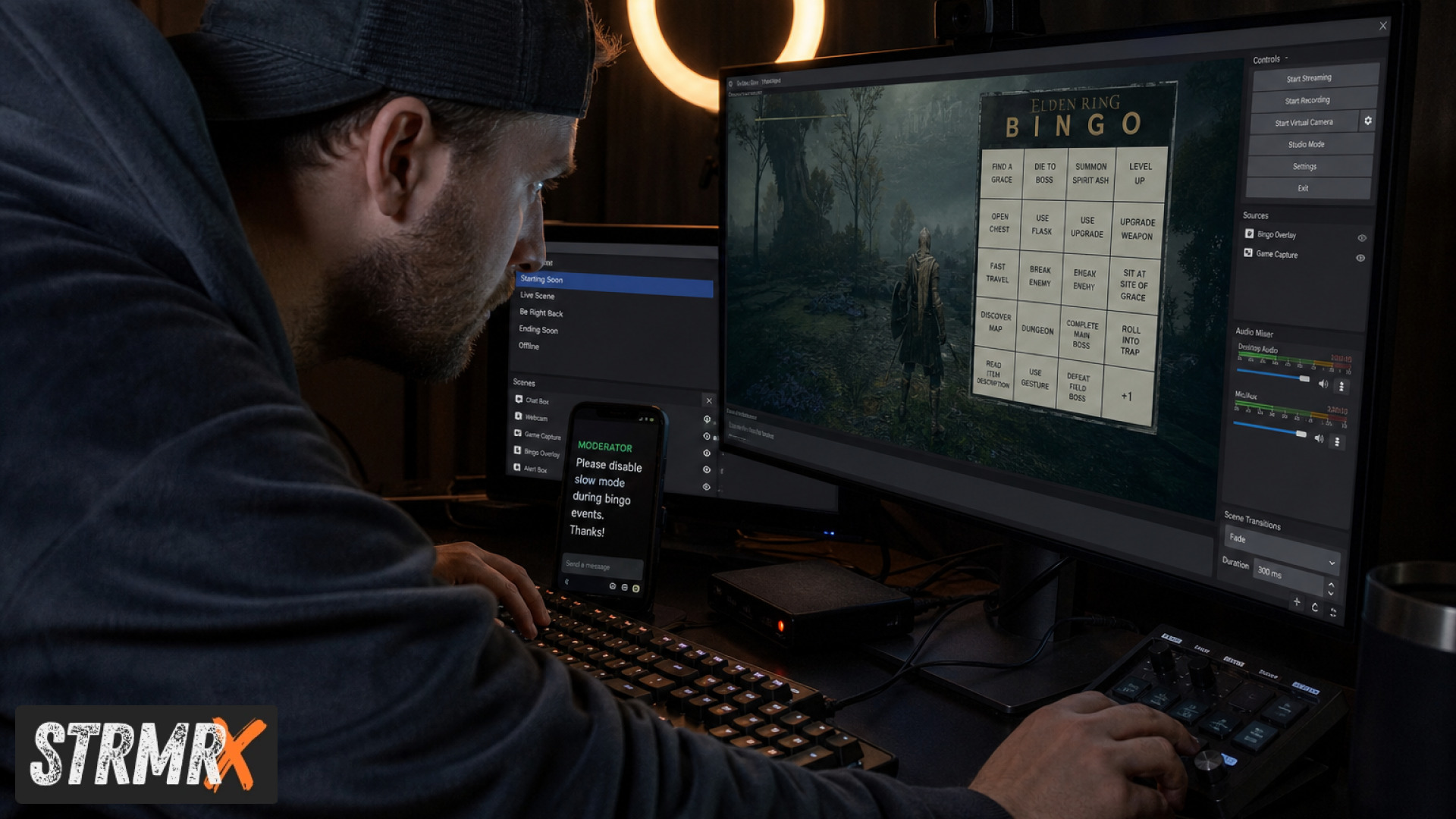
Adding a new interactive Twitch overlay right before season finale week backfires because you are introducing untested variables (new chat commands, new browser sources, new failure points) into the highest-stakes broadcast of your season, with no buffer time to catch bugs before your biggest audience shows up. The safer move is almost always to freeze your setup a few days out and save the new toy for the calm week after. This guide breaks down why that timing mistake happens, what it actually costs streamers, and how to add interactive elements the right way once the pressure is off.
What this guide covers:
- Why "backfiring" happens, not just that it does
- The software industry's code freeze logic, applied to streaming
- Common mistakes streamers make in finale week specifically
- Why browser-based, low-friction overlays are lower risk than heavier dashboards
- A practical testing checklist you can run in under 30 minutes
- When to actually launch new interactive features for the best payoff
What Does It Mean for an Interactive Twitch Overlay to "Backfire" Before a Finale?
An interactive overlay "backfires" when it introduces a new point of failure (a crashed browser source, a chat command nobody understands, a viewer feature that lags under peak concurrent chat) during the exact week you can least afford downtime or confusion. It is not that interactive overlays are bad. It is that finale week is the worst possible week to discover a bug for the first time.
Season finales, tournament closers, and "last stream before hiatus" broadcasts tend to pull your highest concurrent viewers, your highest chat velocity, and your highest number of first-time visitors clicking over from a raid or a clip. That combination is exactly when a shaky new feature gets the most exposure and the least forgiveness. A bingo card that misfires in a 12-viewer Tuesday stream is a shrug. The same bug in front of 300 people during your finale becomes the thing your chat remembers.
Academic research backs this up from the technical side. The ACM research on Twitch overlays documents the real engineering challenges behind viewer-driven interactive features on live streams, including latency, input handling, and synchronization issues that only surface under real audience load, not in a quiet solo test.
Why Timing Matters More Than the Overlay Itself
Timing matters more than the overlay because the same feature that feels exciting in a low-stakes test stream can feel like chaos when 200 extra chatters arrive at once and start reading, clicking, or typing commands you have not stress-tested. The tool is rarely the problem. The rollout schedule is.
The Code Freeze Principle, Borrowed From Software Teams
A code freeze is a deliberate pause on introducing new changes to a system right before a high-stakes event, precisely so nothing untested is running when it matters most. Big engineering teams do this before major product launches for a reason: the cost of a bug caught in review is minutes, while the cost of a bug caught live in front of your audience is your credibility.
The industry report on code freezes lays out exactly why tech companies halt feature changes before big launches, and the logic transfers directly to streaming. If a finale is your "launch," the days leading into it should be your freeze window, not your experimentation window.
This does not mean never touch your setup. It means the seven-to-ten days before a finale are for polishing what already works, not for bolting on something brand new that nobody, including you, has run under real pressure.
What Common Mistakes Do Streamers Make Right Before a Big Week?
The most common mistake is treating finale week as a deadline to "finally launch" something, when it should be treated as a deadline to stop touching anything risky. Streamers under pressure tend to make the same handful of errors.
- Adding a brand-new overlay with zero dry runs. No test stream, no moderator walkthrough, straight to air in front of the biggest crowd of the month.
- Stacking too many interactive layers at once. A new bingo board, a new pet overlay, and a new social card all going live the same week means three new failure points instead of one, and no way to isolate which one breaks if something goes wrong.
- Skipping a chat command dry-run. If viewers need to type
!joinor a new command to participate, and you have never explained it live, half your chat will be confused during the exact moment you need them engaged. - Not briefing moderators. Your mods are your first line of defense if something breaks live. If they do not know a new overlay exists, they cannot help troubleshoot it or reassure chat.
- Ignoring the cognitive load on viewers. A finale already asks a lot of viewer attention. Piling on new interactive demands can tip people from engaged to overwhelmed.
That last point is not just a hunch. A study on streaming information overload found that excessive interactivity during live broadcasts raises cognitive load and can actively drive viewer fatigue and disengagement rather than boost it. More interactive layers is not automatically more engagement. Past a certain point it is just more noise.
Why Are Low-Friction, Browser-Based Overlays Safer to Add Late?
Browser-based overlays are lower risk to introduce close to a big broadcast because there is nothing to install, nothing that can conflict with your OBS or Streamlabs Desktop setup, and no separate software update that can break mid-stream. That is precisely how the StrmrX StreamKit is built, and it is the reason a StrmrX overlay is a fundamentally different risk profile than a heavier all-in-one dashboard.
Every StrmrX app, whether it is BingoX (chat-wide bingo where viewers !join and you call the balls), CollectX (a collection grid chat ticks off live), StreamPals (a chibi pet the whole stream feeds and waters), BotBuddyX (an AI chatbot answering chat and running commands), PuzzleX (a real-time puzzle chat solves together), BuzzBarX (a rotating on-screen card for socials, commands and hype moments), or RaidX (finding and raiding channels that fit your stream), drops into OBS as a plain browser source. There is no executable to update, no plugin version mismatch, and no separate login to manage. One free StrmrX account signs you into all seven apps with a single shared credit wallet.
That matters in finale week specifically because "nothing to install" also means nothing to break at the OS or software-update level the night before your biggest stream. Compare that to heavier all-in-one dashboards from providers like StreamElements or Streamlabs, where a single platform update can shift dozens of interconnected widgets at once. StrmrX is built deliberately small and single-purpose per app instead, so adding or pausing one piece never touches the rest of your setup.
All seven public StrmrX apps are free on the A tier today. If you want premium resources and priority features, S Tier runs 9 dollars a month, and X Tier unlocks the full StreamKit with every app plus VIP support for 19 dollars a month. Because pricing and access sit on top of one shared account, testing a new app in a low-stakes stream costs you nothing but a few minutes of setup.
How Do You Safely Test a New Interactive Twitch Overlay Before It Goes Live?
You test a new interactive overlay by running it end-to-end in a low-stakes stream at least a few days before your finale, with a moderator watching chat behavior in real time. This is the single habit that separates a smooth new feature from a finale-week disaster.
A practical, 30-minute pre-launch checklist:
- Add the overlay as a browser source in OBS or Streamlabs Desktop and confirm it renders correctly at your actual stream resolution, not just in a browser tab.
- Run it during an ordinary, lower-viewership stream at least three to five days before the finale, not the night before.
- Test the chat command flow yourself, typing the exact command viewers will use (like joining a BingoX round) to confirm the response time and on-screen feedback feel right.
- Brief at least one moderator on what the overlay does, how viewers interact with it, and what "normal" looks like versus "something's wrong."
- Set a rollback plan. Because StrmrX overlays are single browser sources, disabling one is as simple as hiding that source in OBS, with zero effect on your other scenes or apps.
This kind of structured risk check is standard practice in software teams before any high-stakes release. The IT change management best practices guide outlines how teams assess risk before introducing changes ahead of critical periods, and the same discipline works for a stream schedule. Treat your finale like a launch date, and treat the days before it like your review window.
When Is the Right Time to Add a New Interactive Twitch Overlay?
The right time to add a new interactive overlay is during a normal, lower-pressure week, ideally right after a big event rather than right before one, so you have room to iterate without an audience watching the rough edges. Post-finale weeks tend to have a settled, curious chat that is happy to try something new with you.
A simple rule of thumb: if you cannot run a new overlay for at least two or three ordinary broadcasts before your next high-stakes stream, it is not ready for the high-stakes stream. That buffer gives you time to catch the command that confuses new viewers, the animation that lags on lower-end hardware, or the timing quirk that only shows up once chat gets fast.
This is also the ideal window to layer in something like RaidX to find same-size, same-game channels to raid after your finale wraps, since that is a lower-pressure use case than launching mid-broadcast. Save the bigger swings, like debuting BotBuddyX's command set or a fresh BuzzBarX layout, for a week where a hiccup is a footnote instead of a headline.
Advanced Tips: Building a Season-Finale-Proof Stream Setup
A finale-proof setup is one where every interactive element has already been tested individually, moderators know their fallback role, and nothing new is introduced inside the freeze window. A few advanced habits push this further.
- Stagger, don't stack. If you run multiple StrmrX apps, introduce them one at a time across separate ordinary streams rather than all at once, so you know exactly which feature to troubleshoot if chat reports an issue.
- Keep a "known good" scene collection. Save an OBS scene collection from a stream that ran clean, so you can revert instantly if a finale-week change (planned or accidental) causes problems.
- Watch chat pacing, not just uptime. A technically working overlay can still overload viewers if it demands constant typing during your highest-tension moments. Dial back prompts during climactic segments and bring interactivity back for recap or downtime segments.
- Use the shared credit wallet to plan ahead. Because one StrmrX account covers all seven apps, you can top up and configure everything you plan to use weeks in advance instead of scrambling on account setup the day of your finale.
- Loop in your co-streamers and mods early. As a two-person independent studio built by streamers for streamers, StrmrX designs each app to be simple enough that a moderator can learn it in minutes, not hours, which matters a lot when you are briefing your team on finale day.
None of this requires a heavy dashboard or a steep learning curve. It requires sequencing: test small, test early, freeze late.
Conclusion: A Quick Pre-Finale Checklist
Adding an interactive Twitch overlay right before season finale week backfires when it is untested, unbriefed, and stacked with other changes at the exact moment your audience and chat volume peak. The fix is not to avoid interactive overlays. It is to sequence them correctly: test early, freeze late, and save the debut for a calmer week.
Before your next finale, run through this:
- Has this overlay run cleanly on at least two or three ordinary streams already?
- Have your moderators been briefed on what it does and how to spot a problem?
- Is it the only new change this week, rather than one of several stacked at once?
- Do you have a one-click rollback (like hiding a browser source) if something goes wrong?
- Is chat pacing considered, so interactivity supports the big moments instead of competing with them?
If you can check all five, you are ready. If not, save it for the week after the finale, when a rough edge is just feedback instead of a headline.
StrmrX is built for exactly this kind of low-risk experimentation: seven free apps on the A tier, all browser-based with nothing to install, all signed in through one shared account so you can test on your own schedule. Visit strmrx.com to set up your free account, or reach the team at vibe@strmrx.com if you want a hand planning your next interactive overlay rollout well ahead of your next big stream. Learn. Stream. Vibe.
Frequently Asked Questions
How many days before a finale should a code freeze actually start?
Aim for seven to ten days out, which mirrors the software industry practice the post borrows from. That window gives you enough time to polish what already works without leaving room to bolt on something untested right before your biggest audience shows up.
What's the actual difference between a browser-based overlay and a heavier dashboard like StreamElements or Streamlabs?
A browser-based overlay like the StrmrX apps drops into OBS as a single browser source with nothing to install and no software update that can break mid-stream. Heavier all-in-one dashboards bundle dozens of interconnected widgets together, so one platform update can shift your entire setup at once instead of just the one piece you touched.
How do I actually run the 30-minute overlay testing checklist before my finale?
Add the overlay as a browser source in OBS, run it during an ordinary lower-viewership stream three to five days out, and type the exact chat command viewers will use yourself to check response time. Brief a moderator on what normal behavior looks like, and confirm you can hide the source instantly as a rollback if anything feels off.
If I'm already running BingoX or StreamPals, is it safe to add a second StrmrX app the same week as my finale?
The post's advice is to stagger, not stack, meaning you introduce one new app per ordinary stream instead of layering several at once. Running two untested apps together during finale week means two new failure points with no clean way to tell which one caused a problem if chat reports an issue.
What should I do if a bug slips through during the finale despite testing beforehand?
Because StrmrX overlays run as individual browser sources, you can disable the misbehaving one by hiding that source in OBS without affecting any other scene or app. This is also where a "known good" saved scene collection pays off, letting you revert to a stream setup you already know runs clean.