StrmrX blog
42% of Streams Lose Viewers in Week One: Fix It Before Halloween
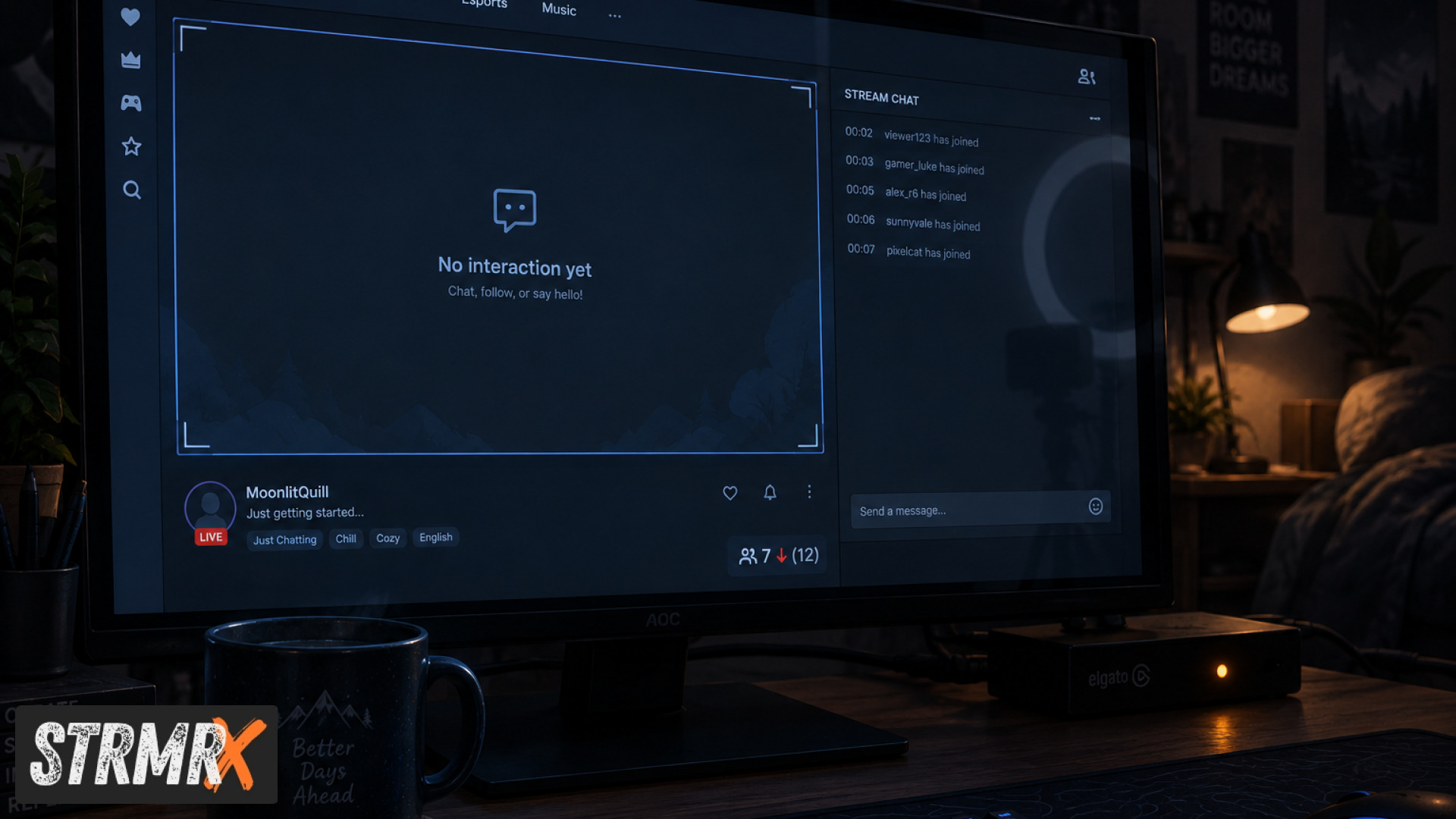
New streamers lose roughly 42% of their first-week viewers because the very first visit to their channel hits a wall: a blank overlay, a silent chat, nothing for a new viewer to actually do. Streams that give viewers an action in the first few minutes, something to click, type, or feed, keep people around far longer than streams that just play a game with a webcam in the corner. Fix that gap before Halloween traffic rolls in and the fix is simple, free, and lives entirely in your browser.
If you've ever checked your analytics after a big raid or a shoutout and watched the viewer count quietly drain away by Thursday, you already know this problem. It's not your content. It's what happens in the first ninety seconds a stranger lands on your streams, and that's a fixable, specific thing.
The Problem: Why Streams Bleed Viewers in Week One
Streams lose new viewers in week one because there's no reason for a first-time visitor to stay past the first clip of gameplay. A viewer who can't tell what the channel is about, can't find your socials, and has no way to interact with chat within the first couple of minutes clicks away, and they rarely come back to check again.
The symptoms are easy to spot in your own dashboard: a healthy average viewer count during a raid that collapses within 10 to 15 minutes, chat that stays dead even when the viewer count is decent, and a follower-to-viewer ratio that barely moves week over week. Streamers in the 5 to 500 average viewer range feel this hardest, because every dropped viewer is a visible chunk of the audience rather than a rounding error.
This happens for three reasons that repeat across almost every new channel:
- No on-screen hook. Nothing tells a new viewer what to do, so they lurk silently and leave.
- Heavy setup friction. Streamers delay adding interactive elements because every other tool means a download, an install, and a learning curve before Halloween weekend even arrives.
- Dead chat spiral. Quiet chat makes the stream look empty, which drives off the next viewer too, even if the game itself is great.
The good news is that all three are overlay and engagement problems, not content problems, and they're solvable in an afternoon.
How Do You Give New Viewers Something to Do Immediately?
You give new viewers an instant, visible way to participate by putting a chat-driven game or activity on screen the moment they tune in. StrmrX builds exactly this family of browser-based tools, branded together as the StreamKit, and every app drops into OBS or Streamlabs Desktop as a plain browser source with nothing to install.
BingoX turns chat into a shared game: viewers type !join, get a card, and call out numbers as you reveal them, so a brand-new viewer has a reason to type in chat within seconds of arriving. CollectX works the same way with a collection grid chat ticks off together live, giving returning viewers a reason to come back and finish the set.
For streams where the audience wants something softer than a game, StreamPals gives the whole stream a chibi pet to feed, water, and play with together on screen, which turns a silent chat into a shared, low-pressure group project. Add any one of these and the awkward first ninety seconds disappears, because there's finally something to click.
How Do You Stop Chat From Going Silent?
You stop dead chat by handing moderation and conversation starters to a tool that never sleeps, so viewers always get a response even when you're mid-game. BotBuddyX is StrmrX's AI chatbot: it answers chat questions and runs commands automatically, which matters most in the exact week-one window when you're too focused on gameplay to type back.
A new viewer who asks "what game is this" or "how do I follow" and gets an instant, friendly reply from BotBuddyX is far more likely to stick around than one who asks into silence. For streamers running Just Chatting or variety content, this single app covers the gap between "streamer is busy" and "chat feels abandoned," without you writing a single custom command.
How Do You Promote Yourself Without Interrupting Your Game?
You promote yourself without breaking flow by putting a rotating on-screen card in the overlay instead of stopping to read out your Discord link. BuzzBarX rotates your socials, commands, and house rules automatically, and it swells visibly for hype trains, raids, and follows, so a new viewer sees instant proof the channel is active and social right as they arrive.
This matters most during the exact spike moments that bring new viewers in: a raid lands, BuzzBarX reacts, and the raiding community sees a channel that's clearly alive rather than one that looks frozen mid-game. That visible reaction is often the difference between a raid audience that lurks for ten seconds and one that sticks for the rest of the hour.
How Do You Keep a Puzzle or Challenge Going Across the Whole Stream?
You keep momentum by running a shared, real-time challenge that the whole chat solves together instead of a single streamer grinding alone. PuzzleX puts a live puzzle on screen that chat solves collaboratively, whether you're streaming solo or hosting a private table with friends.
Shared puzzle-solving is one of the stickiest formats for brand-new viewers specifically because it doesn't require any stream history or inside jokes to join in. Anyone who lands mid-puzzle can contribute a guess in the next ten seconds, which is exactly the kind of instant participation that week-one streams are missing.
How Do You Find the Right Raids Before Halloween Traffic Spikes?
You find the right raid partners by using a tool that matches channels on size, game, and camera type instead of guessing from the directory. RaidX finds live channels that fit your stream, lets you raid in one click, and remembers who raided you back, which builds a two-way raid network instead of a one-off traffic spike that disappears by Sunday.
With Halloween weekend bringing a short-term surge in Twitch browsing, a reliable raid partner list matters more than usual: a well-matched raid sends viewers who already like similar games and streams of a similar size, and those are exactly the viewers most likely to stay past week one. A mismatched raid, by contrast, just adds to the churn you're trying to fix.
What Does It Cost to Fix This?
It costs nothing to start: all seven StrmrX apps (BingoX, CollectX, StreamPals, BotBuddyX, PuzzleX, BuzzBarX, and RaidX) are free on the A tier today, and one free StrmrX account signs you into every app in the family with a single shared credit wallet. There's no install, no separate login per tool, and no credit card required to try the overlay that fixes your week-one drop-off.
If your streams grow past what the free tier covers, S Tier is 9 dollars a month for premium resources, priority features, and early access, and X Tier is 19 dollars a month for the full StreamKit with every app unlocked plus VIP support. Both are built by a two-person independent studio that's made up of streamers, for streamers, so the pricing stays deliberately small rather than bundled into one heavy all-in-one dashboard you don't need yet.
Conclusion: From Empty Chat to a Stream That Holds Its Audience
Before you add these tools, a typical week-one experience looks like a quiet overlay, a silent chat, and a viewer count that quietly drains after every raid. After, a new viewer lands on an active BuzzBarX card, gets an instant reply from BotBuddyX, and has a BingoX card or a CollectX grid to join within seconds, and that's the difference between a stream that loses 42% of its first-week audience and one that keeps building toward Halloween weekend and beyond.
Fixing streams that bleed viewers doesn't require a redesign or a new PC. It requires picking one or two of these seven free browser-based apps, dropping them into OBS as a browser source, and giving your next new viewer a reason to stay past minute two. Sign up free at strmrx.com, or reach the team directly at vibe@strmrx.com, and get your overlay fixed before the Halloween traffic arrives.
Frequently Asked Questions
Where does the 42% first-week viewer drop-off number actually come from?
It reflects a common pattern in new-channel analytics: a solid viewer count during a raid or shoutout that quietly collapses within 10 to 15 minutes and never fully recovers by the end of the week. You can check for the same pattern yourself by comparing your raid-hour viewer count to your Thursday average in your own dashboard.
Which StreamKit app should I set up first if I only have time for one before Halloween?
Start with BuzzBarX if your biggest problem is raids landing on a stream that looks frozen, since it reacts visibly the moment a raid or follow hits. If your real problem is silent chat during gameplay, set up BotBuddyX first instead, since it answers new-viewer questions the instant you're too busy to type back.
How is BingoX different from CollectX if they both run through chat commands?
BingoX is built around a single live round: viewers type !join, get a card, and mark off numbers as you call them, so it resolves in one sitting. CollectX instead builds a collection grid over time, which gives viewers a reason to return across multiple streams to finish the set rather than finishing in one session.
Do I need to reinstall or reconfigure anything in OBS to add these apps before Halloween weekend?
No, every StreamKit app including BingoX, CollectX, StreamPals, BotBuddyX, PuzzleX, BuzzBarX, and RaidX runs as a plain browser source in OBS or Streamlabs Desktop. There's nothing to download or install, so you can add one and test it in a single afternoon before traffic picks up.
What happens if my stream grows past what the free A tier supports?
You can move up to S Tier at 9 dollars a month for premium resources and priority features, or X Tier at 19 dollars a month for every app unlocked plus VIP support. Both tiers use the same single StrmrX account and shared credit wallet, so upgrading doesn't mean creating new logins or starting over with setup.