StrmrX blog
Low Chat Energy? Skip Games -- Try the Call-and-Response Method Instead
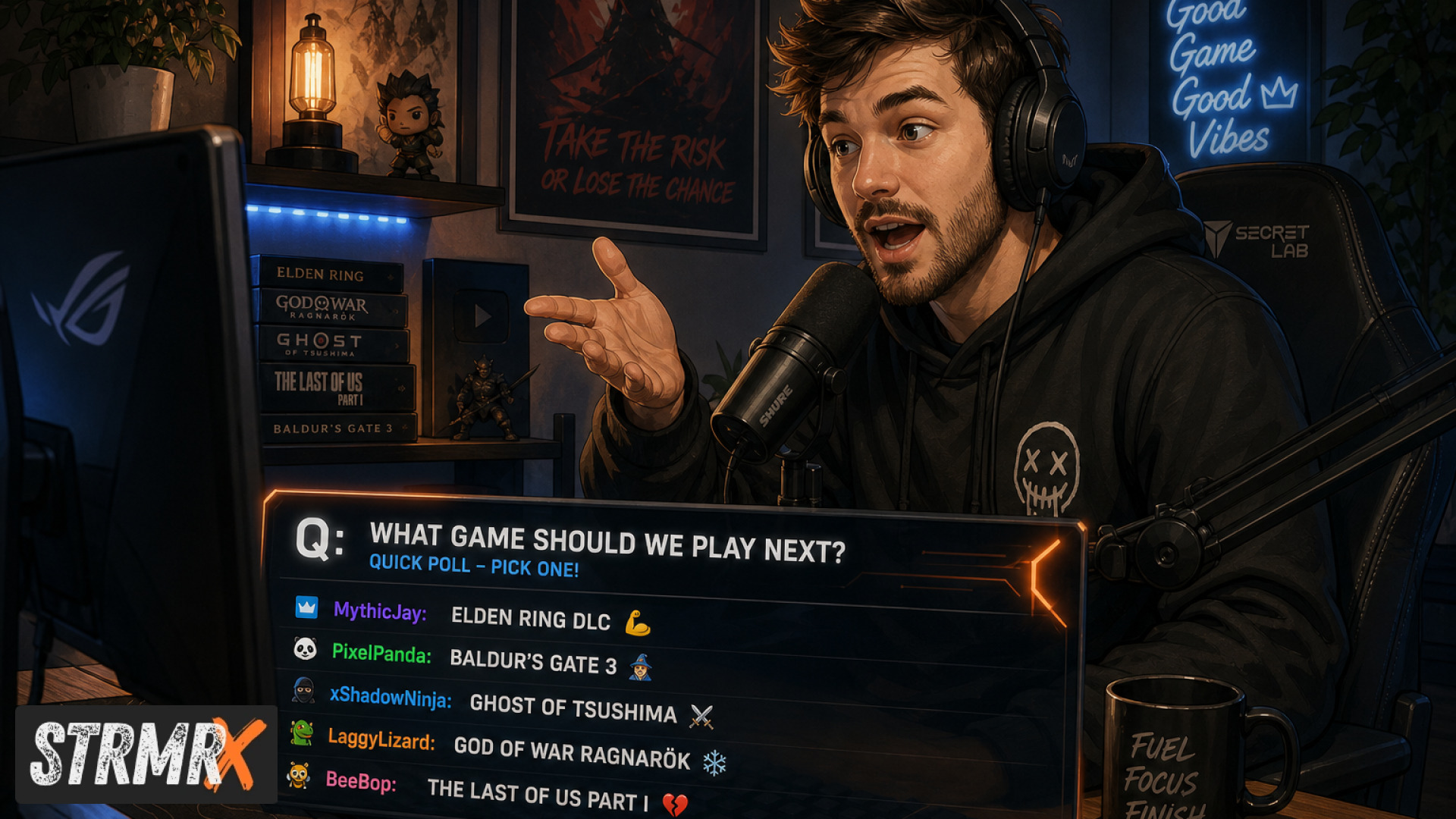
Low chat energy usually means your viewers are watching but not talking, and the fix isn't another mini-game, it's the call-and-response method: short, repeatable prompts where you ask chat something specific and they answer back in real time. It works because it asks less of your viewers than a full game does, so more of them actually join in.
The Problem: Why Chat Goes Quiet
Chat energy drops when the ask is too big. Games like trivia, giveaways, or full-blown challenges require chat to read rules, wait for a winner, and sit out most of the round, so only your most active regulars bother.
This is a common frustration for small and mid-sized streamers, especially anyone in the 5-500 average viewer range where every silent minute feels louder. New streamers setting up their first overlay often make it worse by front-loading complicated commands before chat even knows each other.
Search "twitch chat interaction ideas reddit" and you'll see the same complaint over and over: streamers running elaborate games to an empty room while the simplest questions get ignored because chat doesn't know when or how to respond. The problem usually isn't your content, it's that there's no low-effort entry point for a lurker to jump in.
Games also demand setup time, explanation, and often a break in your commentary. Call-and-response needs none of that. It's a prompt and a reply, repeated until it becomes a habit.
What Is the Call-and-Response Method?
Call-and-response is a chat interaction pattern where you say or type a short, specific line, and chat answers it directly, no rules, no waiting, no winner to pick. Think "type your favorite snack" instead of "guess the number I'm thinking of."
The method works for any Twitch stream idea, whether you're doing Just Chatting, variety, or a full gaming session, because the prompt scales to whatever's happening on screen. A boss fight becomes "chat, pick my next item," a cooking segment becomes "chat, salt or no salt."
It's one of the most reliable free Twitch chat interaction ideas because it costs nothing to run, needs zero setup, and works even with a two-person chat. The only skill is asking a question specific enough that typing an answer takes five seconds, not fifty.
How Do You Set Up Call-and-Response Prompts?
You set up call-and-response by writing three or four go-to prompts before you go live, tied to moments you already know are coming: intro, a lull, a big play, and outro. Keep each one to a single sentence chat can answer without thinking twice.
Good prompts have one right shape and endless right answers. "What's your comfort game" beats "what's the best game ever made" because there's no wrong response to defend, which lowers the bar for people who've never typed in your chat before.
Rotate categories so it doesn't feel repetitive: food, games, weather, pets, weird jobs, worst haircut. This is also where a stream ideas generator can help if you're stuck, but honestly your own Twitch or Discord community usually has better material than a generator, because it's specific to the people already watching you.
The expected outcome here is a chat that talks without being told a game is happening. Once a prompt lands three or four times in a stream, viewers start anticipating it and answering before you finish typing.
How Can StrmrX Apps Make Call-and-Response Effortless?
StrmrX turns call-and-response from a manual habit into something that runs itself in the background, because the whole StreamKit is built for small, fast tools rather than one heavy dashboard you have to babysit. Every app drops into OBS as a browser source, nothing to install, and one free StrmrX account signs you into all of them with a shared credit wallet.
A few of the seven apps line up directly with this method:
- BuzzBarX keeps an on-screen card rotating your socials, commands, and house rules, so your call-and-response prompt has a visible home instead of scrolling off in chat.
- BotBuddyX, an AI chatbot, can answer chat and run commands, which means a prompt like "!snack" can trigger a response even when you're mid-fight and can't type.
- StreamPals gives chat a chibi pet to feed, water, and play with together, which is its own built-in call-and-response loop that runs the whole stream without you prompting it every time.
- CollectX turns a running collection grid into an ongoing call-and-response: chat ticks off items live with you, so there's always a next square to ask about.
All seven public apps, including BingoX, PuzzleX, and RaidX, are free on the A tier today. If you want premium resources and priority features, S Tier runs 9 dollars a month, and X Tier unlocks the full StreamKit with every app plus VIP support for 19 dollars a month. Nothing here replaces call-and-response, it just gives your prompts a place to live so chat doesn't have to remember them.
What Are Some Funny Call-and-Response Prompts to Try?
The funniest live stream ideas usually come from prompts with a slightly ridiculous premise and zero wrong answers. "Chat, roast my last decision" or "give my character a terrible nickname" tend to outperform anything scripted, because chat writes better jokes than you can plan.
A few that consistently work across variety and Just Chatting streams:
- "Chat, what's the worst gift you've ever received?"
- "If my character had a Yelp review, what would it say?"
- "Chat, rename my enemy right now."
- "What's the most useless skill you're proud of?"
These land especially well as stream ideas for small streamers, because a funny call-and-response prompt doesn't need a big chat to feel alive, it just needs three or four people willing to answer first. Once those first replies show up, the rest of chat usually follows within a minute or two.
If you're browsing "funny live stream ideas reddit" for inspiration, treat those threads as a prompt bank, not a script. Pull the shape of the question, then swap in details from your own game, your own chat, your own running jokes.
Conclusion: From Silent Chat to Steady Back-and-Forth
Before call-and-response, low chat energy usually means running a bigger game and getting the same quiet chat back. After it, you've got a short, repeatable prompt that turns lurkers into repliers in seconds, without any setup, rules, or winner to pick.
That's the core of good twitch chat interaction ideas: lower the ask, raise the frequency, and let chat build the habit of talking to you. StrmrX apps like BuzzBarX, BotBuddyX, StreamPals, and CollectX just make that habit easier to keep running once it starts.
All seven StrmrX apps are free to try right now, no install, one account, one credit wallet. Head to strmrx.com to grab the StreamKit, or email vibe@strmrx.com if you want help picking the right prompt tools for your stream. Learn, stream, vibe.
Frequently Asked Questions
How many call-and-response prompts should I actually prep before going live?
Aim for three or four go-to prompts tied to moments you already know are coming, like your intro, a lull, a big play, and your outro. That's enough variety to avoid repetition without overloading yourself trying to think of new lines mid-stream.
What makes a prompt like "what's your comfort game" better than a broader question like "what's the best game ever made"?
The comfort game version has one right shape and endless right answers, so nobody has to defend their pick or overthink a reply. Questions with a "best ever" framing invite debate and hesitation, which raises the bar exactly where you want it lowest, especially for people who've never typed in your chat before.
Should I use call-and-response instead of trivia and giveaways, or alongside them?
Call-and-response works best as your default, everyday interaction, while games like trivia or giveaways stay as occasional events since they require rules, setup, and a winner. The post's point isn't that games are bad, it's that they demand too much from chat to run every few minutes, whereas a prompt costs chat five seconds to answer.
Do I need a StrmrX account or any setup to start running BuzzBarX or BotBuddyX for this?
One free StrmrX account gets you into all seven apps with a shared credit wallet, and each one drops straight into OBS as a browser source with nothing to install. BuzzBarX and the others in the A tier are free to use right now if you just want to try giving your prompts a visible on-screen home.
What do I do if chat still doesn't answer even after a few call-and-response prompts?
Check whether your prompt is too open-ended, since anything closer to "what's the best X" than "pick one of these two things" invites hesitation instead of quick replies. It also helps to repeat the same handful of prompts across multiple streams, since the post notes chat starts anticipating and answering a prompt once it's landed three or four times.